
-
-
Resources
-
- REVENUE UPLIFT CALCULATOR
-
-
See the potential revenue uplift you could gain by selling online with 2Checkout.
-
- Support
- Partners
-
 Login
Login
-
 Login
Login
- Talk to sales Talk to sales
- Sign up for free
-
Resources


How to integrate Drupal Commerce with 2Checkout

Standard Checkout
Process credit cards for your store using 2Checkout's Hosted Checkout.
Inline Checkout
Streamline your payment process by using 2Checkout's Inline Checkout.
Payment API
Recurring Payments
Plugin Required
Drupal Commerce Settings:
Download or clone https://github.com/2Checkout/drupal-commerce-2checkout
Perform the below set of instructions in your Drupal Commerce account to integrate it with 2Checkout.
1. Download the new 2Checkout module from Github.
2. Upload the files to your server under your store’s directory.
3. Log in to your Drupal Commerce admin area.
4. Navigate to Commerce → Configuration → Payment and click on Payment gateways.
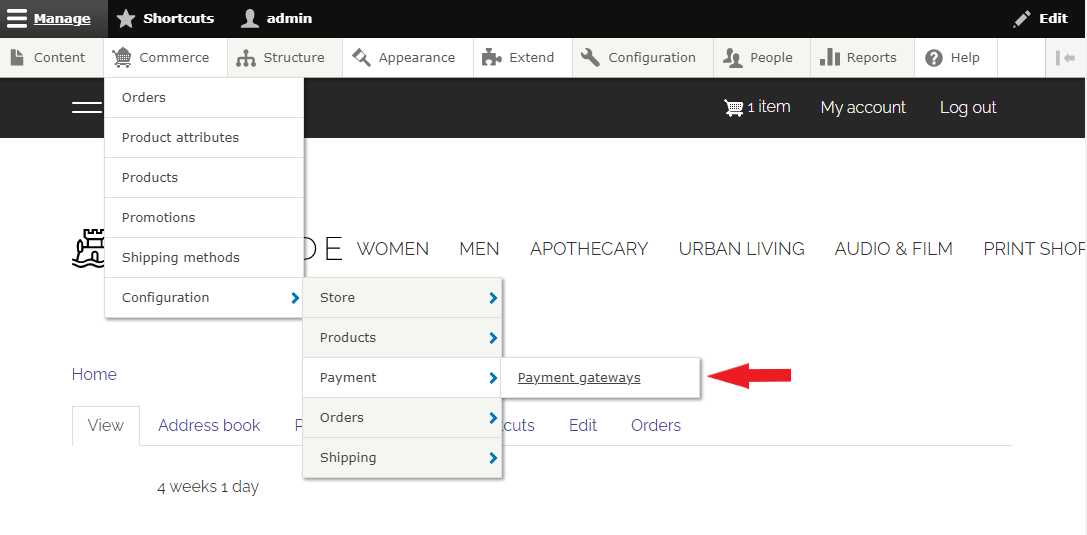
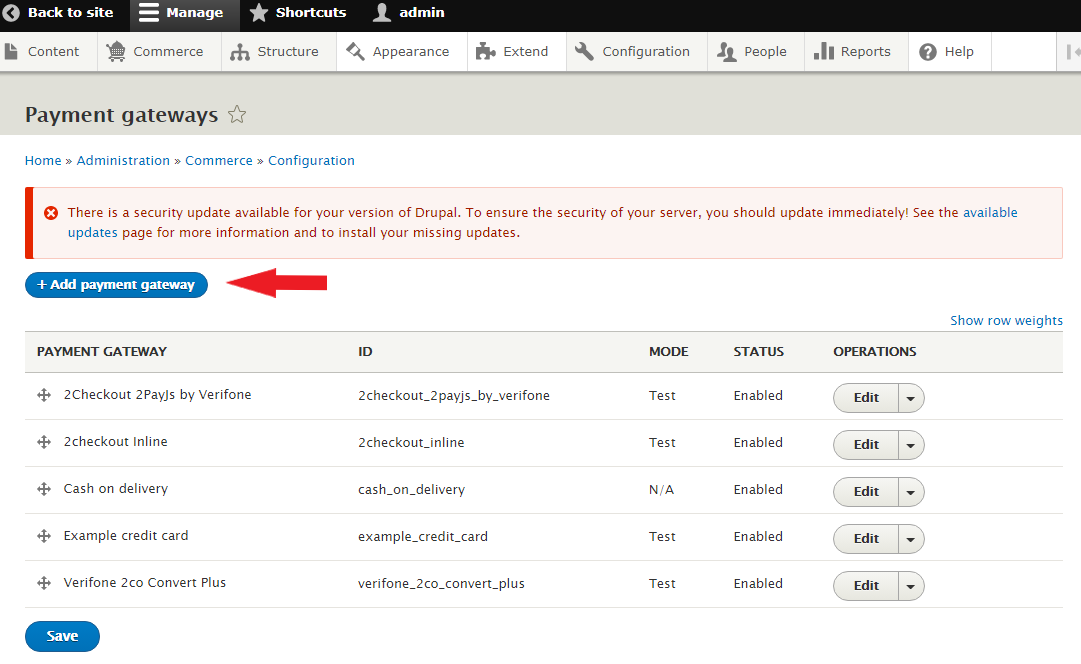
5. On the Payment gateways page, click on Add payment gateway.
6. On the Add payment gateway page, select 2Checkout ConvertPlus by Verifone/2Checkout InLine by Verifone/2Checkout 2Pay.js
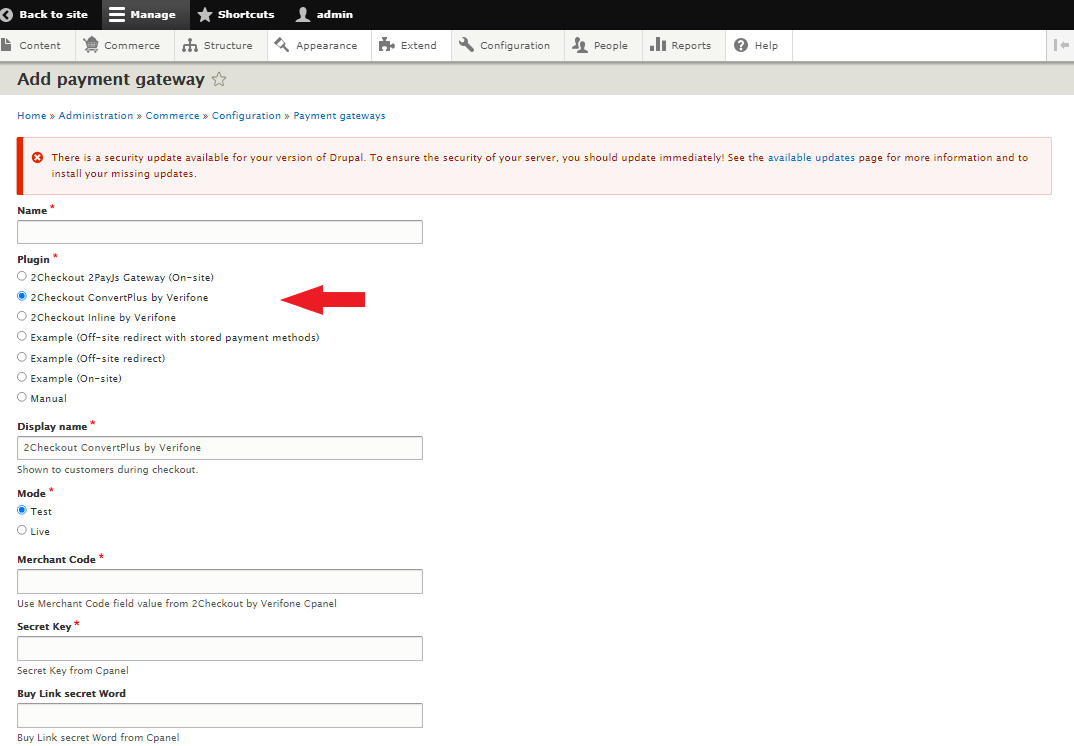
7. Fill in the rest of the fields on the page:
- Display name
- Mode (select Test to be able to place test orders)
- Merchant Code - This is the 2Checkout Merchant Code, and you can find it in the 2Checkout Merchant Control Panel, under Integration → Webhooks and API.
- Secret Key - (you can find it in the 2Checkout Merchant Control Panel, under Integration → Webhooks and API)
- Buy-Link secret Word (you can find it in the 2Checkout Merchant Control Panel, under Integration → Webhooks and API)
- Conditions (optional)
8. Select Enabled to activate the plugin.
9. Click Save.
For more information visit: Drupal.org
Start using Drupal Commerce and 2Checkout to accept global payments.
About Drupal Commerce
Drupal Commerce is used to build eCommerce websites and applications of all sizes.